FIND, STORE & PICK
Advanced Search feature makes locating the exact part simple. Manage stock movement between parts and configured locations.

Inventory control, Orders, user Access control, controller and Pick-to-Light interfaces and Reports in a single Windows-based system designed to work with both shelving and automated equipment.
See part quantities and their storage locations quickly with PartPicPRO's intuitive design.
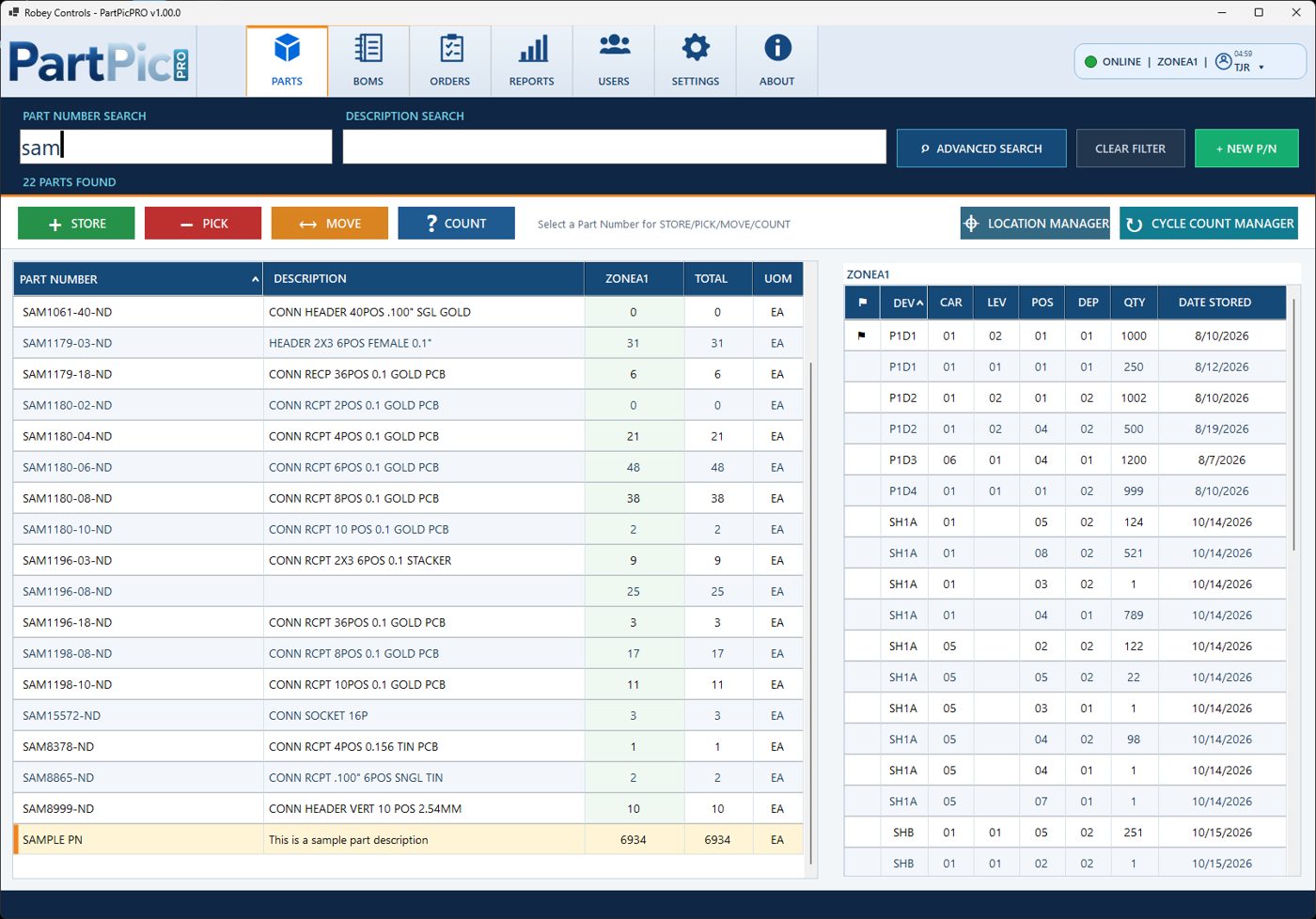 PartPicPRO — real PARTS screen
Use the same inventory information across the operation instead of disconnected spreadsheets and paper instructions.
Advanced Search feature makes locating the exact part simple. Manage stock movement between parts and configured locations.
Count inventory, relocate material and keep location records aligned.
Work through orders at designated batch stations with pick confirmation.
Maintain parts and assembly relationships for the work you do.
Manage operator logins and role-based functions.
Filter, preview and print inventory and transaction-related reports. Easily make custom reports from access to most system database fields.
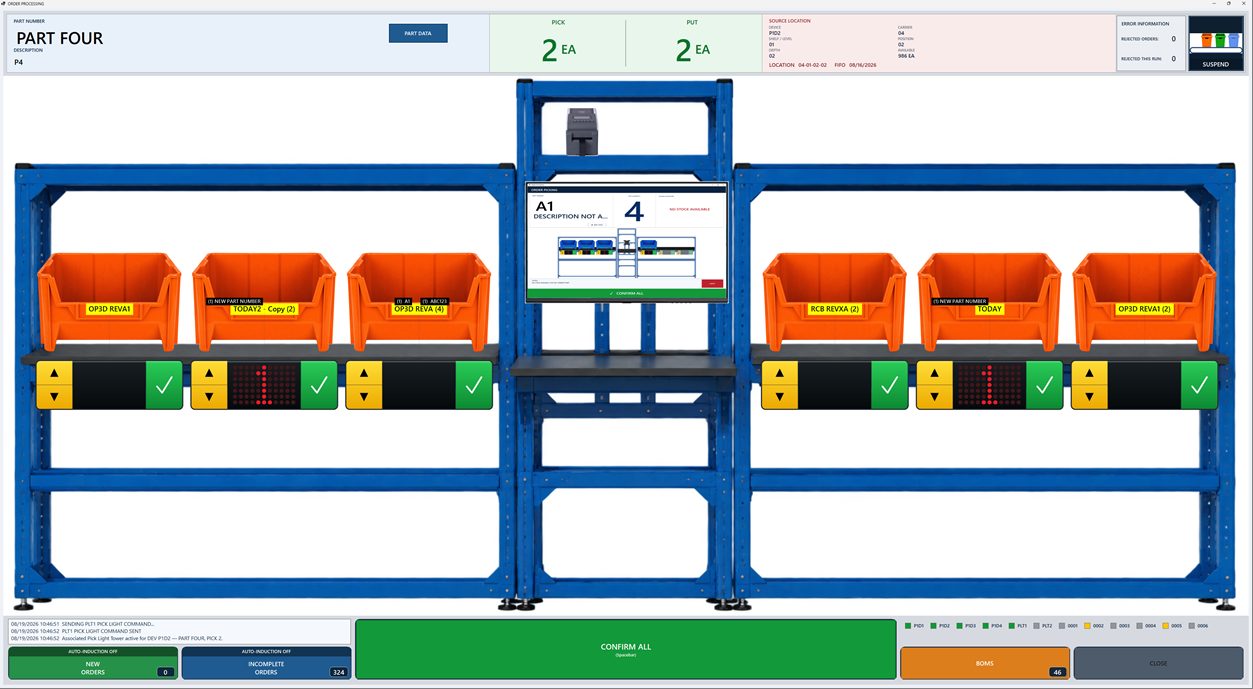 PartPicPRO batch Order Processing display
Put transaction information in front of the operator and connect it to related equipment and indicators.
Review the inventory and operating history without losing the connection to real part numbers and physical stock locations.
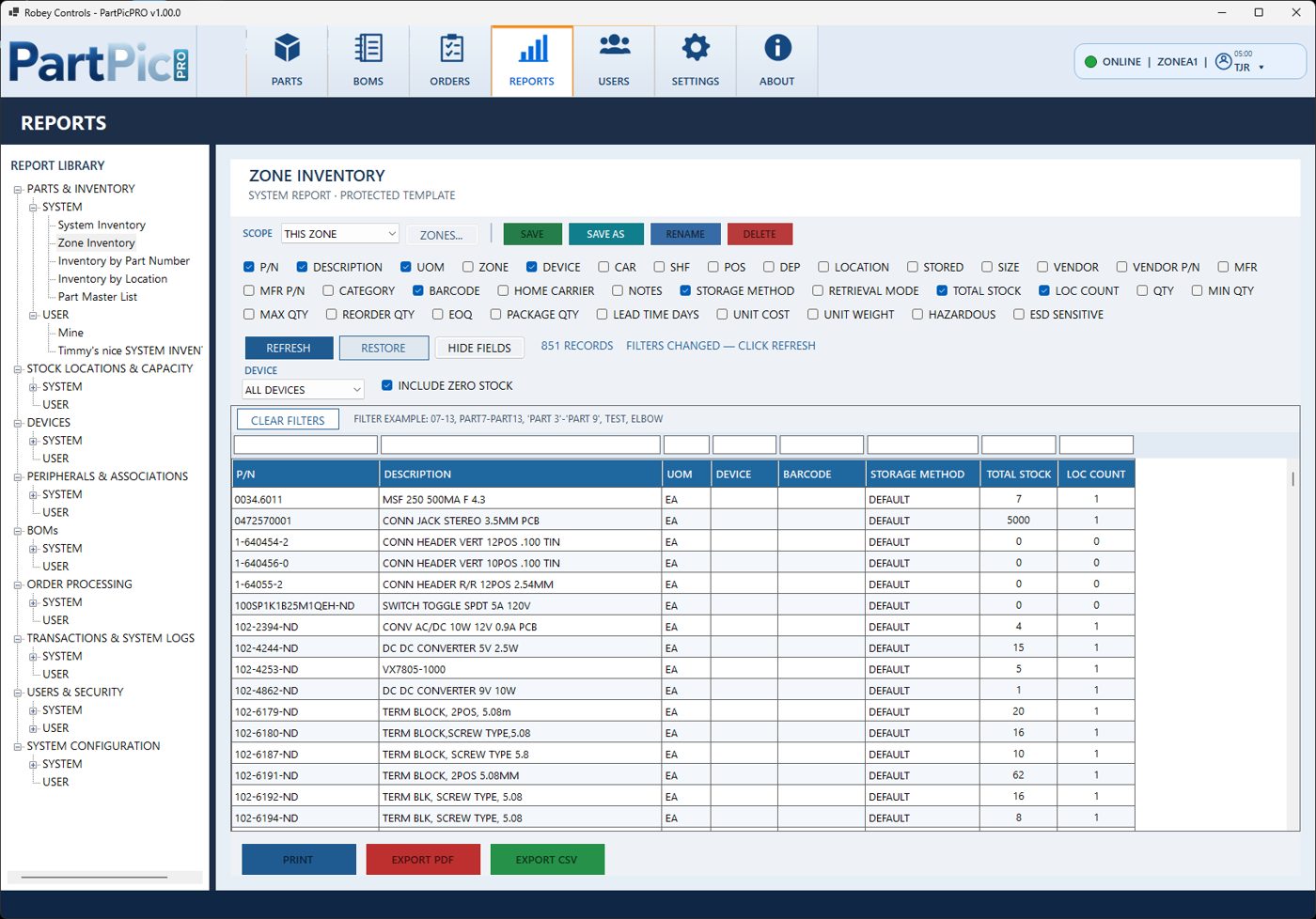 PartPicPRO inventory reporting
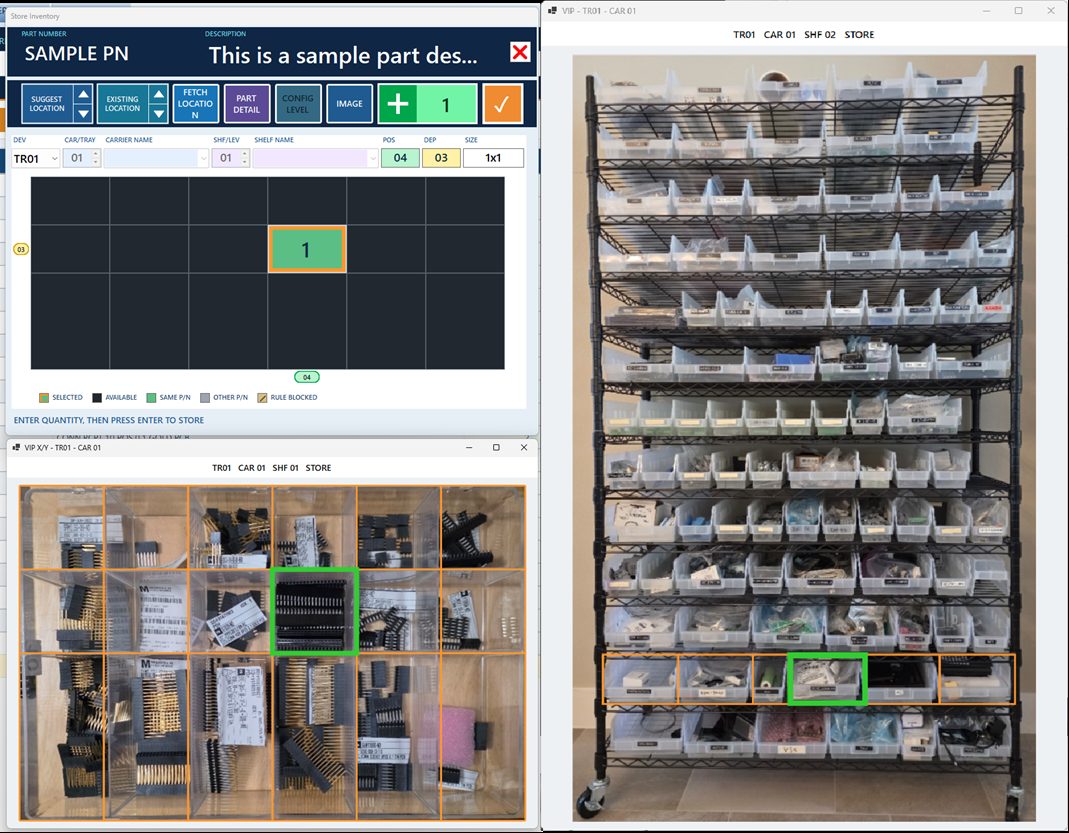 VIP — Virtual Position Indicator
Link on-screen location templates with photographs of the real storage equipment so operators can identify the intended bin or shelf position.
Tell us about your equipment, zones and Order Processing requirements so we can discuss the appropriate configuration.